A useful pool maintenance log records when you tested, what you observed, what you changed and what happened afterward. Include units, the test method and the pump setting when you record filter pressure. Those details make a later reading interpretable and help another person pick up where you left off.
Open the CSV in Excel, Google Sheets or Numbers, save a working copy and add a new row for each observation or intervention. The file starts with blank rows. It does not contain prescribed chemical doses or target values. If printing it, choose the columns you use and a landscape layout; the full digital record is wider than a paper log.
Set up a pool record before the first entry
Keep a separate equipment note with pool volume and how it was estimated, surface type, sanitizer system, pump and filter models, and links to the manuals. Add the date of the last professional service and the contact you use for equipment questions. If you do not know a value, mark it as unknown rather than copying a default from another pool.
The pool volume calculator can help estimate water volume, but irregular shapes and depths introduce uncertainty. Record that it is an estimate. A technician looking at the history needs to know whether a volume came from drawings, a measurement or a rough guess.
What each log entry should contain
| Field | What to write | Why it helps |
|---|---|---|
| Date and time | The observation time, not just the time you typed the record | Separates pre-treatment and follow-up readings |
| Event type | Water test, observation, treatment, cleaning or follow-up | Keeps the sequence clear |
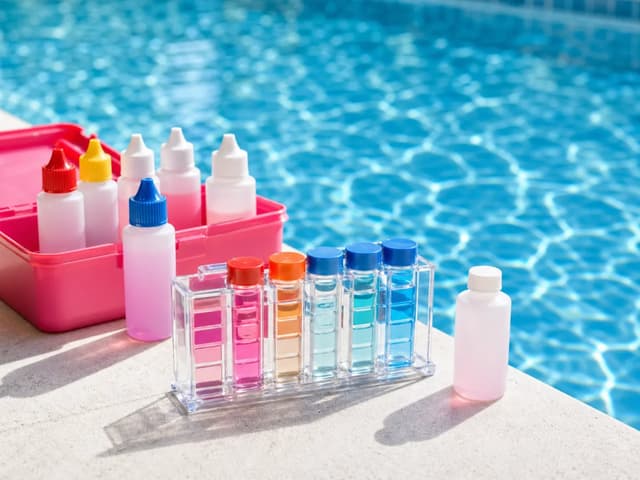
| Free chlorine and pH | Measured reading and the test method | Preserves what was actually measured |
| Other tests | Alkalinity, calcium hardness, CYA or salt when tested; use ppm | Prevents missing tests from looking like zero results |
| Appearance and conditions | Clarity, debris, rain, heavy use or refill | Adds context without pretending appearance establishes safety |
| Pump setting and filter pressure | Stage or RPM plus gauge reading in psi | Makes comparison between similar operating conditions possible |
| Action taken | Cleaning task or product name, concentration, amount and unit | Makes the intervention traceable |
| Follow-up | When to recheck under the applicable label/manual and what was found | Closes the loop on an unresolved problem |
| Recorded by | Name or initials appropriate for your private record | Shows who can explain the entry |
Keep a missing result different from a zero
If you did not measure a parameter, leave the numeric cell blank and write not tested in the notes if helpful. Zero is a result, not a placeholder. Likewise, keep a test result outside the kit's measuring range labeled as such; do not invent a number beyond what the kit can read.
Use one unit per column. Write a product amount with its unit rather than entering a bare number. Keep product concentration with the product name: two bottles with similar names can contain different strengths. Store photos of labels or reports with your private records if they help resolve an ambiguity later.
A completed example without a dosing recipe
| Time | Event | Record | Follow-up |
|---|---|---|---|
| Saturday, 8:00 am | Observation | Leaves on surface after windy night; no water test entered yet | Test before deciding on any chemical adjustment |
| Saturday, 8:15 am | Water test | Record actual readings and kit method in the test columns | Compare with applicable guidance and product instructions |
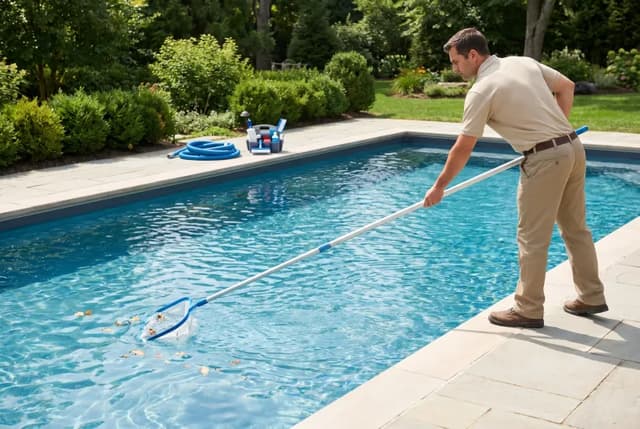
| Saturday, 8:30 am | Cleaning | Surface debris removed; note other work actually completed | Record any unresolved equipment concern |
| Later, at the required interval | Follow-up | Enter a new row with the new readings and observation time | Contact a qualified provider if the problem remains unresolved |
The point is the sequence, not filling every cell every time. An observation row can have empty test columns. A treatment row should identify the actual product and amount, followed by a separate row for the later check. Avoid overwriting the original result with the improved one; both are useful history.
Record pressure alongside the operating setting
A pressure number without the pump setting has limited value. Compare readings under similar operating conditions, and keep the baseline your equipment instructions call for. Do not assume that a higher reading at a different speed proves the filter needs cleaning, or that a low reading proves the system is operating correctly.
Manufacturer instructions are model-specific. Pentair's Clean & Clear support describes clean-filter pressure as a reference for that equipment family. Use your own filter's manual for its service trigger and safe procedure. Recording a gauge is not an instruction to loosen a clamp, open a pressurized filter or change valves.
Choose a testing routine with the right guidance
A weekly log template does not mean testing only once a week is adequate. Follow the testing frequency appropriate to your pool, its use and applicable guidance. CDC recommends testing disinfectant and pH at least twice daily, more often during heavy use, and explains the limitations of test methods. Follow the kit instructions, including what to do when the result is outside its range.
Use the chemical levels reference to understand what the parameters mean, then check the relevant product and equipment instructions. This template does not determine dosing, certify water safety or replace a public-pool operating record required by a local authority.
Use the record for a clear handoff
- Share the relevant recent entries, not an unexplained screenshot of one number.
- Highlight the first time a problem appeared and any changes made afterward.
- Include equipment model information and the test method used.
- Mark unresolved questions and who is expected to handle the next check.
- Keep access codes, home addresses and other private details out of copies shared publicly.
If a provider visits, ask for their readings and completed tasks so you can add them to the record. If you are away, write down who will observe the pool and how they should contact you about concerns. A log supports that conversation; it does not turn an untrained caretaker into an equipment technician.
Review the log for patterns worth discussing, such as a problem recurring after a refill or a change in operating schedule. Several events happening together do not establish the cause. Keep the observations factual and let a qualified provider help interpret problems you cannot resolve.
Frequently asked questions
Is the pool maintenance log free?
Yes. The CSV is available without an account and can be opened in a spreadsheet application. Save your edited copy in a private location.
Should every test column contain a number?
No. Leave a numeric field blank when it was not tested. Do not use zero as a placeholder, and record out-of-range results as out of range.
Does a completed log mean the pool is safe to use?
No. It is a record of observations and actions. Water safety and equipment decisions require appropriate testing, applicable guidance and qualified help when needed.
Method and intended use
Poolside designed this worksheet to make observations, actions and follow-up easier to communicate. The linked CDC and manufacturer sources support the testing and equipment context. The template is not a chemical dosing program, a diagnosis or a regulatory form. Keep it with your manuals and update it with what actually happened.
Poolside creates practical worksheets and explanations for pool owners. These resources were prepared with AI assistance using the references listed in each article. Examples are illustrative; no field testing or independent technician review is claimed.
More Poolside guides →